Saturday, 21 February 2015

How To Design For Android Devices

                                   USA IT COMPANY
 This will be part a series as I’m still in the middle of learning and updating my processes for Android. I used to not pay much attention to their guidelines because I considered them inconsistent and unactractive at the time, but I believe that now things have changed. I’m starting to see a pattern. That’s a good thing when it comes to a platform’s maturity.

android-heyzap

The Back Button

For the longest time, the back button was never part of the user interface because of the hardware equivalent. It has changed since. It’s a pretty popular use now to include the back arrow next to the App’s logo when you browse sub-level content. The user interface’s back button (they call it “up button”) acts slightly differently than the hardware’s back button. While the up button goes up one level in your application only, the back button can go back to any previous application and content.

Resolutions

All the resolutions on Android are pretty confusing, i.e. we have xhdpi (2x), hdpi (1.5x) and mdpi (1x). They sound extremely technical. When I first started almost a year ago, the engineers couldn’t even explain to me what the ratio were for each of those. I had to figure it out by asking a lot of questions. The resolutions you should design in are 720×1280, 540×960 and 360×640. Make sure to include hardware buttons and the status bar on your design for high-fidelity mockups.

Starter Kit

Jeremy SallĂ©e, designer at Telly, made a very helpful visual document that shows how the 3 resolutions differ. Also, you should head to the Android Action Bar Style Generator for a starter kit in a default theme. It lets you customize some basic settings such as colors and styles and you will get a zip file with all the assets all prepared for you in all 3 resolutions. The best way to learn is by experimenting with a real demo.

android-telly

android-starter

9-slice Scaling

Android has a peculiar way of managing graphical assets that is much different from how CSS does it. 9-slicing allows you to specify which area of the asset you want stretched and which area you want the content to be bounded by. The rest, such as rounded corners, can remain intact even if you resize the asset. On the asset, you have to draw these 1px black lines:
    • Top: this area will stretch horizontally.
    • Left: this area will stretch vertically.
    • Right: this area will allow content vertically. This is where you set the padding for your content.
    • Bottom: this area will allow content horizontally.

android-9slice

The Action Bar

Unlike the iPhone where the title usually goes in the middle of the header, on Android, the title is at the top left and next to the app’s logo. Tapping the logo usually leads to a side menu or to the last content you were on.

android-actionbar
The title sometimes has a triangle arrow below it that indicates that you can navigate sub-level content. Just like on the Web, it is very common to see drop-down menus on Android.

android-refresh
Finally, if you respect their guidelines, all actions should be on the far top right. That includes functions like Refresh (because Pull to Refresh is extremely uncommon on Android), Search and the infamous Action button which is normally represented by 3 dots. The action button is used for more actions that couldn’t fit on the Action Bar.

android-dots

Fonts

Fonts are unfortunately device-specific so better expect crappiness on some devices. Don’t get discouraged if you find yourself in a situation where you have to test your design on an old phone. There were worse days — remember IE6. The most popular font on Android is Droid Sans. It’s free to download. However, Roboto is gaining popularity since it’s present on newer devices.

Content Dimensions

In 2x, the minimum pixel dimension should be 28px for text, 96px for menus & header and 116px for the footer. It is only slightly bigger than on iOS (24px, 88px and 100px). We’re only talking about a ratio of 116% from Android to iOS.

Preview Your Design On Your Android Phone

Roman Nurik from Google released a pretty useful tool called Android Design Preview which allows you to preview your desktop view or design image to your Android device in pixel-perfection glory. Don’t even try Dropbox, the image get compressed badly.
Tip: on the Mac, you have to make sure that you allow applications downloaded outside the App Store by going to Security and Privacy in your System Preferences.

android-previewsettings
Another tip: the only way to preview your design is by connecting with your USB cable to the device and click “Install App”. This took me a while to figure out because I took for granted that they had an Android app on the Play store and that I would be able to preview using WiFi. Nope.

android-preview

Friday, 20 February 2015

5 Ways to Make Money with Your Twitter Account

                                                                               USA IT COMPANY
Twitter is a key part of any social media marketing campaign.
5 Ways to Make Money with Your Twitter Account

However, you don’t have to have a blog in order to make money through Twitter.
There are several ways that you can make money through the social network without trying to sell your own products or services.
Twitter is a powerful platform unto itself, not just a conduit for marketing another site. You can create a Twitter account around a profitable niche — making money online, online education, or motherhood, for example — and amass a large number of followers interested in that niche. Then you can tweet links to interesting content from around the web, offering your followers something of value without ever having to create content yourself.
So how do you make money? The same way you do on a blog: Selling advertising, sponsored links, and affiliate marketing. Here are a few programs that can help you make money on Twitter:

#1. 

Sponsored Tweets is a well-known ad service for Twitter allows you to set your own price-per-click for ads that you tweet. You can choose the ads you tweet from a list of available ads that are updated regularly. You must have at least 50 followers, 100 tweets, and an account that is at least 60 days old to sign up for this service.

#2.

MyLkes is an extensive ad platform can be used on Twitter, Tumblr, YouTube, and your blog. You get to choose ads from thousands of advertisers, and you get to schedule the time the advertisement will be tweeted from your account. You can earn as much as $0.42 per click, and you can get a payout weekly.

#3.  

Ad.ly is another ad service that lets you send out advertisements in your tweets. However, you don’t get paid-per-click. Instead, you create a profile of your interests, then advertisers can choose your account to publicize a campaign. You agree to send out a specific number of tweets on a specific schedule, and you get paid a lump sum.

#4. 

Rev Twt is a  Twitter-based advertising service and is a pay-per-click platform. The more followers you have and the higher reputation you have, the greater access you will have to higher-paying campaigns. Payout is made via Paypal when you have reached $20 in earnings.

#5. 

The Twittad  platform claims to be one of the first sponsored-tweet networks. You are able to set your own cost-per-click, but you have to wait for advertisers to accept your bid. You will also have to identify your niche so that advertisers can match their products with you appropriately. Payment is made via Paypal when you have reached $30 in earnings.
There are many other ways you can make money with your Twitter account, including selling banner ads on your profile page, setting your own rates and selling direct sponsored tweets, charging to send a personal message to your followers, or charging for access to your private list of followers. These advertising services can also help you make money through pay-per-click advertising, which can be especially lucrative if you have a large following.

What About You?

Do you have any experience with any of these ad platforms? Were you successful with any of them?
Tell us about your experiences in the comments! Look forward to hearing your stories

20 ways to increase your facebook likes and engagement


  1. Advertise on Facebook to get more “likes”. This is the quickest way to grow your fan base. The Supre fashion brand did this to obtain 40,000 fans quickly.
  2. Rotate your ads “DAILY”  people get tired of hearing the same thing in conversation so change your ad! Conversion (CTR) rates can drop by 50% after the first 24 hours. Do not “set and forget”
  3. Add Facebook Social Plugin Box to your Blog and Website (60% of my “likes” are achieved this way)
  4. Free exclusive video that can only be viewed if you like the page.
  5. Run a competition. Everyone likes a competition
  6. Make it obvious on a custom landing page by providing a big bold “Like our Page”
  7. Initially ask friends and family to like your page. A bit overdone but essential at the beginning
  8. Offer a free ebook to obtain a “like” (just like you should be doing for email subscriber acquisition)
  9. Post content from your blog to Facebook whenever you write a new post. Facebook users love receiving new content on Facebook without having to go looking for your blog. Treat Facebook as an extension of your blog.
  10. Provide enticing high resolution photos. Compelling photos that are appropriate for your target audience will keep them coming back and make them share and so drive more likes from their friends
  11. Ask questions regularly using Facebook’s native question app.
  12. Include a link to your Facebook page in your email signature
  13. Provide a compelling welcome video on your Facebook landing page
  14. Simple but often missed: Add a “follow us” on Facebook button near the top of your website and blog pages
  15. Create an incentivised “Like” page that gives people a reason to like your page.
  16. Include the Facebook like button on your email HTML template so that people can like your facebook page from the regular email newsletter
  17. Add a large custom banner to your blog and website asking to “Like
  18. Add a link to your Facebook page as one of your three LinkedIn website links that are part of your LinkedIn settings in your profile
  19. Add a newsworthy update that is relevant for your industry or market niche to your Facebook page every day
  20. Offer “Special” including discounts to Facebook fans. The majority of Facebook users “like” a page to obtain a discount
Even though growing your Facebook likes is important don’t forget to continue to grow both your email subscriber list and Twitter followers. Different users have different social network channels of choice and you need to be everywhere. “Synergize” multiple channels don’t “Monopolise”
How have you increased your Facebook page “likes”?


Thursday, 19 February 2015

Website Design & Development USA

We build Top applications & Games for mobile & web platforms.We Are One of The Best iPhone & Android Applications Development Company.We Also Deal With e-commerce website,2D-3D Animations,search engine optimisation

website development | mobile application development firm | software, iPhone-iPad Applications Development | Android Applications Development USA | SEO, SEO Expert Company USA | web designing companies usa| Unity Games Development USA


Website Design

Thursday, 5 February 2015

Local SEO Tips For Local Business Websites

USA IT COMPANY


Ever since businesses learned that they can have their own websites and that they can use this to market and leverage their business, a large number of them have been trying to fully utilize what the Internet and their websites can do. It is not surprising that search engine optimization took off uncontrollably – the chance to get to the top of search engine rankings seemed like finding the perfect recipe for business marketing.
However, with the huge evolution of SEO, there is also no single strategy that will ensure a hundred percent success. The mistake that many local businesses make is applying SEO strategies that are best applied globally rather than locally. What would work better is to apply SEO practices that target the local market. Below are some of these local SEO tips and tricks to help you get started.
  • Keep your locality in your keywords. Aside from targeting specific keywords for your business, you also need to target the locality where your business is based. Include a geographical modifier in your keywords and make sure that your website reflects your local address as well. Aside from this, try to include the local name you are targeting in most of your business information.
  • Build your business information in local websites. It is automatic for most to properly update their websites with the correct local information, but you will have to make sure that this is properly reflected as well in all business information you put in other local websites such as local directories.
  • Engage your market in social media. One of the best ways to engage the local market is to get into social media and interact with your audience there. Social media has grown so much in importance in terms of increasing a business’ visibility among the local market. Many companies that offer SEO consulting services will almost always market some kind of social media management service to local businesses.
  • Keep track of user reviews. If your business gets a healthy dose of user reviews, then encourage it by all means! Good reviews will definitely bring more clients to your business while bad reviews will provide you with insight on what your business may need to improve on. Hence, read user reviews and respond to them if you can, regardless if it is to thank the user for the good review or to clarify issues and gather additional feedback from a user for the bad review.

Wednesday, 4 February 2015

How To Use A Contact Form To Turn Traffic Into Customers

                                                                 USA IT COMPANY


Any website worth its salt has a “Contact Us” page, where visitors and potential customers can send a question, message, complaint, or other feedback to the host business. Usually, it’s a page with an email link, phone numbers, maybe even a snail mail address, giving visitors a number of different ways of getting a hold of the business. Some even include a live chat option.
In the ongoing quest to win the hearts and minds of e-commerce customers, though, could businesses be overlooking the huge potential of the contact form as a means of turning traffic into actual customers? After all, a resourceful company should let no means of establishing ties with customers to go unused!
Here some ideas on how to use contact forms to bring in customers.
Have Multiple Contact Forms
Consider creating a series of dedicated contact forms that are geared towards particular reasons why a visitor would want or need to communicate with you. You could have a general information form, a customer service form, and a feedback form, for instance. By doing so, it becomes easier for your business to respond to the customers’ messages, and not have, for instance, your shipping people fielding comments about how your business got started and what services it offers.
Adding Live Chat
While having a dialogue box suddenly pop up with a cheery live chat message welcoming the visitor and asking if there are any questions may be annoying to some, it’s a safe bet that everyone appreciates to at least have the ability to initiate a live chat if they so wish. Embedding a live chat link on your contact page goes a long way towards satisfying the instant gratification crowd that absolutely, positively needs an answer right now. That timely answer may very well turn into a sale.
Social Media Links
The easier you make it for customers to contact you, the more likely they will initiate communications. Conversely, the more difficult (or the more clicks needed) a process, the less likely they will talk with you, and that may very possibly stop a potential sale in its tracks. Since it seems practically everyone is connected to at least one social media network, having links to the more popular sites will help encourage more involvement with your business, especially if you have a presence on the networks as well!
If you don’t have a social media presence, then get one. It’s easy, and there’s a lot of information out there on how to do it. For instance, this article shows how to use Google Plus to promote your business.
Don’t Be Too Intrusive
There too many horror stories out there about how someone visited a website, gave out their personal information, and now they’re inundated with spam. If you’re prompting people for information, only ask for the minimum data needed, and make sure your privacy policy, even if it’s an abridged version, is nearby to allay any concerns that would otherwise make people hesitant to establish contact. You want people to feel at ease, and asking too many questions will simply chase them off.
Throw In A Survey
If there’s one thing people love to do on the Internet, it’s giving their opinions. Consider a brief three to five question survey on your contact page to get some information on the kind of people who visit the page; this helps you to tailor promotions, events, and special deals, all with the intention of grabbing people’s attention and consequently converting them into sales.
Turn To An Actual Contact Form Builder
If you and your staff are inexperienced in the fine art of building a contact page, there are many resources out there that can help you build the pages that help you engage customers. Consider something like ContactUs.com, which offers customer acquisition tools that help create bridge between customers and businesses, as well as helping those businesses manage and track their contacts.
It’s The Personal Touch
Visitors to your site want to be treated like people, and also want to feel that they’re interacting with actual human beings as well. By tailoring your contact pages to your potential customers’ needs, you create a link that is very likely to turn into a loyal customer.

Why you need web design services?


At the present times, businesses across the globe require to have a web presence for them to prosper. This has been as a result of the majority of the people turning to the web for information, products, as well as services they need. At the same time, there has been a massive facilitation of this form of trade from the departure of smartphones, fast internet access and online transactions processing. All these features have made the web one of the most used business platform not only in Europe but in the rest of the globe as well.
Due to the benefits achieved, it is therefore essential for all businesses to tap into the infinite resources of the web services and realise exponential growth in terms of the customer base and consequently in terms of sales and production which is the real indication of growth. However, at the present times, having a web presence is not sufficient in ensuring the success of the business. To really prosper, one has to fine tune these services. For instance, being ranked high by a search engine is essential in landing potential customers to your site, therefore, appropriate SEO practices should be enforced to ensure better ranking of a website.
Benefits of having an online presence
There are numerous benefits that can be associated to all businesses. As a matter, of fact, if a business lacks on this important element, then the owners could anticipate failure as they are ignoring the future of the trade. Here are some of these benefits;
  • Gain a competitive edge- When it comes to the web, all businesses are on the same platform. This makes even the smaller businesses to effectively compete with the multi nationals. Therefore, if business owners need to benefit from this, they have to be aggressive in having a good web design as well as services that come along it such as the SEO services.
  • Serves as a sales platform- The concept of ecommerce is directly related to the online presence. For business owners with a good web design, they make use of it to make actual sales where the customers buy directly from them. The beauty of this is that their businesses eliminate the need as well as cost of a third party for distribution purposes and at the same time there is a connection between the producer and consumer. Therefore, having a good site will greatly fuel the sales in the site and at the same time in other online stores as potential customers are able to refer to the producer’s site for more information on the product.
  • Advertising- One of the most challenging part of every business is advertising. This is because of the strategies to be made as well as the costs incurred. With a properly designed website, business owners are able to lower the cost of advertising. This is because they can tap on the web resources and use it as a platform of advertising. For instance, by simply directing potential customers to their web link, they are able to access all the products and services that are on offer and possible their prices.
With services from ClearDesigns, branding, web design and print services are solved professionally and in the highest possible quality and with great compatibility even on the mobile devices which is the trend. There are plenty of package deals to further increase the value for money at any given time. Services can be for start-up enterprises or even for the established business that need custom branding services.

Digital Marketing – Why you need a Digital Marketing Strategy

                                                                USA IT COMPANY 


http://www.usa-it-company.com/
Every company has a business plan, an overall strategy identifying their objectives for years 1,2 and 3 – and often years 4 and 5. Laid out in this plan are the steps, resources to implement and challenges to overcome to successfully achieve their plan. If you were to speak to any business owner then they should know this plan – inside and out.
Now, would the same business owner believe that they need a digital marketing strategy? Is it important enough to warrant its own, fully documented, plan? Or is it merely a by-line on the overarching business plan? If you aren’t sure if your business needs a full, bespoke, digital marketing strategy then below are 7 points to make you reconsider:
  • Rudderless – without a firm digital marketing strategy your online presence is similar to a wayward boat, carving a path wherever it fancies. With a clear digital marketing strategy goals are laid out, resources required to reach them are highlighted and it acts as an incentive to actually spend time analyzing how much success you’re having in achieving them.
  • Online share – like any operating in any market, you should know your online marketplace. By understanding who within this sector you can tailor make your online presence to reach your target audience. Don’t assume that because you have done research into more traditional market channels that your online marketplace will be the same – it won’t, you will have different customer profiles, competitors and communication methods.
  • Competitors – companies that have embraced a digital marketing strategy will be doing better than you, if you don’t have one. If you, at the very least, want to maintain your standing in your industry and protect yourself against start-up companies then a digital strategy is needed.
  • Adding value – the first thing many people do, when considering a business or service to use, is to go online. A well-structured digital marketing strategy will help to drive customer interaction and also, let them know you are a ‘current’ business which can help to create brand loyalty.
  • Consistency – if you have a variety of online presences (Websites and social media platforms for example) then you need to ensure each represents your corporate identify, your brand, tone and message. If the ‘message’ (colour, style of font, style of writing etc) all differ across the board then this will creates distrust with your consumer base.
  • Managing it – if you operate in a big business then many different departments may be involved with the company’s overall digital profile. With an identified digital marketing strategy which people are aware of and know where to access, you can afford a measure of control throughout the business.
  • Trials – online you can make quick and easy amends which means you can run different marketing campaigns, monitor success and amend it quickly if it isn’t working out – all relatively cheaply.
Really and truly, it comes back to oft quoted adage – ‘fail to prepare, prepare to fail’. If you don’t have a clearly defined digital marketing strategy then it can come as no surprise if your online presence is sending mixed messages to consumers and missing out on new business. With a structured, practical and realistic digital marketing strategy in place the whole of the business – no matter its size – can ‘buy into it’ and implement it right across the whole spectrum of the company.
If you want some help in creating your digital marketing strategy for 2015 then contact our Digital Agency in USA. Remember to apply some or all of these to your business and create a digital marketing strategy plan to help drive your online presence forward.

Why You Need Retargeting Banners To Your Online Advertising?


FULL-blog-retargeting
Retargeting banner allow companies to engage with clients that have indicated an interest to use a particular service, product or brand. Marketers have been moving away from display advertising because they think it does not offer great returns on investment. With the introduction of advanced tracking technologies, marketers can now take advantage of new kinds of display advertising such as retargeting to maximize their lead generation.
Display ads that can appeal to potential customers
With retargeting business owners and marketers now have the ability to come up with display ads that address users who have been on their sites but have failed to complete the desired action. Retargeting banners allow you to keep your company’s brand highly visible to the people who do not make a purchase until you can convert them into buyers.
Why retargeting works  
Retargeting should be an essential component of your online advertising efforts. Your banner ads will appear on other sites that your potential buyers visit. This means that you can still access them even when they no longer visit your official site. The ads may encourage the online users to click through and visit your site. Businesses can enjoy a variety of benefits by taking advantage of retargeting.
Continued communication
When you use retargeting banners, you can continue communicating with existing and potential clients even when they leave your site. For this to happen, you need to come up with a good marketing plan. You have to come up with customised banners that approach the online users that is different to your usual marketing message.
Offer Additional Information
Retargeting gives you an opportunity to equip your online users with additional information. You will deliver customised content that the users will find relevant to their specific situations. This is a great way to increase your conversion rates. Sending information that taps into the pain points of customers gives them a better reason to purchase from you, and your message can be tailored to offer exactly what your customers need from you.
Distinguish yourself from Competitors
You can take advantage of retargeting to distinguish yourself from the competitors. This is a chance for you to reaffirm the competitive advantage you have when compared to other companies offering similar products or services. Retargeting banners enhance brand awareness and keep you in your target audience’s focus until they are willing to convert. If you can arrange it so that you’re always in the back of your customers mind, or in their peripheral vision so to speak, they’re far more likely to purchase from you.
Close Sales through Promotions
Retargeting banners can highlight promotions that will help you close sales. You can provide exclusive promotions to online users that have bounced from your site. The promotions will not be visible to the rest of your target audience and this allows you to offer even greater discounts to them.
Promote Services and Products
When you use retargeting banners, you can promote services and products that the online users may have missed out when they initially visited your site. The products they may have come across might not have been relevant to them, contributing to their decision to leave your site. With retargeting, you can highlight the specific items and services that they may find useful.
Online advertising is necessary if you want to reach a large audience and one of the best ways to do this is by taking advantage of retargeting banners. Retargeting has been identified as one of the most powerful conversation optimisation and branding tools, but you have to incorporate it into a larger online advertising strategy for it to work well.

The New Skill Every Social Media Marketer Must Possess

                                                  USA IT COMPANY 
 USA IT COMPANYJay Baer Blog Post              In The NOW Revolution, Amber Naslund and I predicted that social media would become a skill rather than a job. As companies take more steps to “be” social, and incorporate social business initiatives alongside the more common and obvious social media marketing programs, employees from all divisions and departments will utilize “social” to be more effective, the same way they have historically used telephones, email and in-person meetings. This is happening, and my Social Pros podcast interview with Sandy Carter from IBM is a good case history of how big organizations are often leading the way in implementing social as an ingredient in many business recipes.
Companies will fully embrace this movement.
Social at work will become always around us like air, instead of something you have to seek out like water. (tweet this)
But even then, there will still be specialists that oversee or execute social media marketing as a primary part of their job function. The skills needed by this group are changing rapidly.

What Skills Does A Social Media Manager Need to Be Successful?

Just two years ago, the formula for a great social media or community manager was excellent communication skills, comfort with technology, knowledge of the organization and empathy.
18 months ago, when social measurement and ROI calculation became (thankfully) a requirement for most social marketing programs, a heavy dose of comfort with statistics and Excel became a best practice in the community manager job description.
Now, there’s a new requirement for many community or social managers, especially those who are running programs for mid-sized companies on a solo or nearly solo basis (and there are a LOT of those circumstances out there, far more than heavily staffed social media centers of excellence or command centers). Now, to be a “do it all” social media practitioner you must have some experience and expertise with photography and graphics production.
I’m not talking about professional grade computer graphics wizardry, but with Facebook’s EdgeRank and Google’s G+ favoring photos and graphics, plus the increasing influence of Instagram and Pinterest, effective social marketers increasingly must create and propagate images that get attention. There are a number of software packages that help create simple, disposable social media images, so this shift in job skills is less about producing graphics than it is about thinking graphically. Editorial calendars that were once full of pithy tweets and concise status updates increasingly contain graphics instead.
A picture may not be worth 1,000 words, but it’s definitely worth 140 characters. (tweet this)
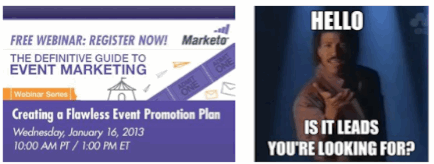
USA IT COMPANYB2B marketing software company Marketo is a particularly good example of this shift, as their Facebook page has moved in the last few months from mostly text to almost entirely graphics. They create a series of different graphics on a regular editorial schedule (this consistency is also a best practice on Facebook; where brand pages are becoming similar to digital magazines).
In addition to text graphics based on quotes, they execute humorous photo overlays and create images for Webinars and other thought leadership, so that those items stand out in the news feed visually. Smart.
lionel-2
Are your social and community managers thinking visually? If not, it’s probably time to invest in some additional training in that area, and the same holds true for agencies (PR, digital, social or otherwise) that are using staff members to manage social on behalf of clients.
What other skills do community managers need today? How else is this role shifting?

How to Translate B2B Best Practices Into B2C Marketing Strategy

www.usa-it-company.com

Ask marketers to compare B2B and B2C, and many will tell you they’re opposite sides of the same marketing coin. While that’s not a bad thing, most marketers tend to focus more on the difference than the uniting coin—and they can miss out on some valuable lessons by doing so.
Take marketing technology, for example. Generally speaking, B2C teams don’t use CRM or sync up with their marketing automation systems as much as a B2B team will. One obvious reason is that the B2C lead life cycle is rarely as persistent and long as the B2B cycle.
Many B2C marketers assume their campaigns only need to be useful or entertaining, and they leave the long engagement efforts to their B2B cousins.
If this sounds familiar to you as a B2C marketer, consider stealing the tips below from the B2B playbook.

Focus on Data

A B2C marketer might email a personal inbox shared by a husband and a wife, while the B2B marketer will target a prospect’s work email. Obviously B2B has the advantage here, since they know they aren’t wasting resources on the wrong eyes. But often, they take this precision a step further by cleansing their data, eliminating duplicates, removing dead ends, and segmenting leads into extremely precise categories. As a B2C marketer, you can ensure your marketing automation campaigns pack maximum punch by doing the same.

Create Detailed Buyer Profiles

B2B teams spend considerable effort on mapping out buyer priorities, motivations, and pain points, right down to very detailed situational and behavioral characteristics. Through the right marketing technology, they can deliver a targeted message to a specific buyer at the perfect time. If your B2C team tends to rely on conventional demographics, try drilling down into your buyer qualities. Your messages will matter that much more to the lead viewing them.

Qualify Leads

There’s rarely an inside sales team when targeting consumers, which tends to negate the concept of “qualification;” the customer is a customer or they aren’t. Sounds simple enough, but B2C teams can benefit from qualifying leads to decide how many resources they’re worth. Consider setting up a basic scoring model, like dividing leads into “hot, warm, and cold” categories based on behavior. You’ll have a much better idea of who’s worth extended effort and who isn’t.

Consider qualifying leads by dividing them into hot, warm, and cold categories based on behavior. (tweet this)

Coax Customers Throughout the Buying Process

Skilled B2B marketers know buyers often need to contemplate making a purchase, which is why they use MA to coax leads through the buying journey. To nurture that initial spark of interest, teams create paths for future engagement, such as offering an incentive in exchange for information. The team then advertises to that lead with a variety of targeted campaigns that overcome their objections. If your B2C team can do the same, cart abandonment doesn’t have to be the end of the engagement—instead, you’ll keep marketing to that lead.

Focus on Solving Problems

Yes, B2C does this already, but B2B marketers tend to go much deeper, since they typically work through a longer approval chain before purchase. By skillfully anticipating and dismantling obstacles in advance, B2B teams keep the lead engaged until purchase becomes an obvious next step. Here’s what you can learn from this: Instead of simply assuming individuals will make a quick decision to buy or not buy, address objections up front and turn non-buyers into buyers.

Measure More Than the Purchase

Marketing technology provides a wealth of data that points the way to ROI, which is why B2B teams track leads from the initial source to purchase. If your B2C team isn’t already measuring the activities that matter, start focusing on metrics now. Figuring out the best source of hot leads, rating your content performance, listening for new audiences, and understanding where and why you’re losing specific buyers will help you sculpt powerful campaigns.

Go Beyond the Basics

Often when B2C marketers do use marketing automation, they tend to use it only as an email platform. If that describes your team, get trained on how to use all of the system features, then develop strategies that take advantage of the platform’s full potential. You’ll see an exponentially greater impact.

Talk to Sales

B2B marketing leaders are forever striving to align sales and marketing. While you may not have an internal sales counterpart, you do have staff on the showroom or store floor, the e-commerce team, as well as customer service reps, and those people can tell you exactly what customers think and why they convert.
When it comes to marketing automation and CRM practices, your B2C team can easily accelerate ROI with a few new or expanded practices. Remember, the technology is there to make your marketing programs more efficient and powerful, and the results will roll in no matter what side of the coin you’re on.